KarminaAI StudioAgents · Services · Training





Knowledge & Governance · AGENT-A23
Knowledge Guide
This landing page explains what automates Knowledge Guide, what sources and tools you need, how the result is reviewed and how it can be applied within a company.
StrategyOwn knowledgeProportional permissionsHuman supervisionMeasurement and improvement
01
The agent, at a glance
What Accelerates
The localization of procedures, the onboarding, internal FAQs, the preparation of answers, the derivation and detection of documentary gaps.
What does it deliver
Response, source, date or version, scope, applicable steps, warnings, responsible and route of escalation.
For whom it is
Internal teams, new additions, service managers, operations, technology, human resources, communication or projects with distributed knowledge.
What it doesn't do
It does not grant permissions, does not replace expert advice, does not respond from obsolete documents, does not expose restricted information and does not convert a conversation into corporate policy.
02
The problem it solves
The answer exists, but it is divided between documents, people and versions.
Organizations repeat the same questions because the sources are hard to find or because only one person can interpret them. When this person is not available, the team uses an old copy or improvises.
Knowledge Guide reduces:
- Search time and recurring disruptions.
- Different answers to the same question.
- Dependence on specific people.
- Onboarding based on oral memory.
- Current and obsolete documents mixed.
- Excessive access to facilitate a consultation.
- FAQs that hide exceptional cases.
03
What exactly is Knowledge Guide?
It is a recovery and response agent over authorized collections. Each collection has a purpose, a public, permissions, owners, versions and review dates.
The answer can be brief, a step-by-step, a comparison or a derivation. It must always differentiate official instruction, contextual explanation and non-binding recommendation.
04
What do you do, specifically?
01. Interpret the question
Identify the theme, role, location, project, or condition needed to recover the appropriate source.
02. Apply permissions
Consult only the collections to which that person and that mission can access.
03. Recover Current Sources
Prioritize official documents, approved versions and identified owners.
04. Prepare a quoted response
Summarize what the source says and show the origin, date or version.
05. Detect exceptions and contradictions
It does not force an answer when two sources disagree or the question comes out of reach.
06. Refers to the person responsible
Prepare the context for the expert to respond without reconstructing the consultation.
07. Identify knowledge gaps
Group unanswered questions or outdated recurring sources and propose a review.
DUBTE BACK
You don’t have to know which agent you need.
Let’s start with a repeated task, the sources available and the result you want to review. In a free video call we can assess if you need an agent, a service or simply better order the process.
Video call · free · no obligationBook a free video call ↗A short conversation to understand your starting point and bring clarity.
05
How it works from start to finish
- Receive the question and check identity and role when appropriate.
- Limit the range.
- Check the authorized collections.
- Check source, version and validity.
- Generates response with quotes or declares that it cannot respond.
- Scale the defined cases.
- Record the query with the necessary minimization.
- Owners check gaps and update sources.
06
Example of situation
“How many days do I have?” needs to know which policy, which country and which contract apply
A person asks for an internal permit. The Knowledge Guide identifies that there are different policies according to location and that it does not have the complete contractual context.
Instead of giving a generic number, it shows the policy applicable to the confirmed location, explains that the specific case may require review and refers the query to the person responsible. It does not turn an informational response into individual employment advice.
07
What do we need before we launch it?
Essential
- Use cases and public.
- Collections of authorized sources.
- Owners, versions and validity.
- Permissions by role or mission.
- Escalation criteria.
- Registration and data policy.
- Interface or query channel.
Highly recommended
- Cloud Index previous.
- FAQs and real questions.
- Glossary and terminology.
- Examples of correct and incorrect answers.
- Procedure to update a source.
08
How we implant it
- We choose an area with value and controllable risk.
- We invent and govern sources.
- We define permissions, appointments and escalations.
- We create a set of tests with real questions.
- We fly with a group of users.
- We review accuracy, absences and excessive confidence.
- We form owners and expand collections gradually.
A REAL TASK IS THE BEST BRIEF
Explain where the friction is concentrated.
You can send us an example, the approximate volume and how it is reviewed today. No need to share sensitive data to make a first assessment.
09
Human supervision and boundaries
The agent can
- Retrieve and summarize sources.
- Adapt the response to the role.
- Citing version and date.
- Derive exceptions.
- Detect gaps and obsolete sources.
Agent can't
- Provide access to restricted content.
- Resolve individual legal, clinical or employment cases out of reach.
- Invent a policy.
- Declare valid an unvalidated document.
- Update an official source because a conversation suggests it.
Stop and scale when
There is no source, sources contradict each other, the question affects rights or sensitive data, context is lacking, the permission is not enough or the answer can generate a compromise.
10
Sources and possible connections
Document repositories, intranet, CMS, process managers and internal systems. Cloud Index prepare the inventory; Meeting Notes It can offer new knowledge. Support Desk reuse service collections and Brand Guard The Marks.
11
How do we measure if it adds value?
- Percentage of responses with a valid source.
- Response time.
- Solved queries versus scaled correctly.
- Corrections after review.
- Sources without owner or validity detected.
- Reduction of repeated questions to expert people.
- Incidences of permission or exposure.
- Calibrated adoption and trust of users.
12
For whom does it make sense?
It can fit if
- There is recurring knowledge and identifiable sources.
- The same questions interrupt the team.
- onboarding is slow or inconsistent.
- It can be assigned owner to sources.
- The organization wants cited answers, not a generic chat.
It’s not the first step yet.
- It is not known which source is official.
- Permissions cannot be applied.
- No one will keep the knowledge.
- It is intended to load all documents without purpose.
DUBTE BACK
You don’t have to know which agent you need.
Let’s start with a repeated task, the sources available and the result you want to review. In a free video call we can assess if you need an agent, a service or simply better order the process.
Video call · free · no obligationBook a free video call ↗A short conversation to understand your starting point and bring clarity.
13
Knowledge Foundation and adoption
Knowledge Guide is one of the most direct expressions of the Knowledge Foundation. The base decides sources, owners, permits, validity, taxonomies and tests. The agent only consults the fragment necessary for his mission.
The onboarding teaches you to ask questions, check appointments, not confuse answer with decision and inform when a source needs review.
14
Frequently Asked Questions
Is it an internal chatbot?
It may have a conversational interface, but the value is governance of sources, permissions, appointments and scaling, not the shape of the chat.
Can you read the entire Drive or SharePoint?
I shouldn't have. He works with authorized collections and accesses by role.
How do you know which version is valid?
By defined metadata, status and owner. If the validity cannot be confirmed, it says so and scales.
Can you give different answers depending on the person?
It can adapt access and context according to role, location or project. It does not discriminate or infer sensitive attributes.
How is it updated?
The owners check sources and alerts. Conversations may suggest a change, but they do not automatically modify the official source.
How much does it cost and how long does it take?
It depends on the scope, sources, permissions, interface and integrations. It starts with a limited collection and real questions.
15
Closure and conversion
What inner question still depends on finding the person who “knows where he is”?
Share an area, sources and recurring questions. We will prepare a first guide that answers only when it can show where the answer comes from.
Direct contact hello@karmina.ai
Karmina, the agency behind the Studio
Why Karmina?
Behind Karmina AI Studio there is an agency with track record, team, scale and applied experience in real organizations.
Karmina · AI Studio · Criterio · Dunder Mifflin · Utopiq · Smart Team
 +€119mIn advertising investment for clients
Ads Platforms
Partners MetaGoogle Ads
 TikTok
 Pinterest
 Barcelona
Madrid
Buenos AiresOur offices · Meet the team ↗
+50 KCommunity
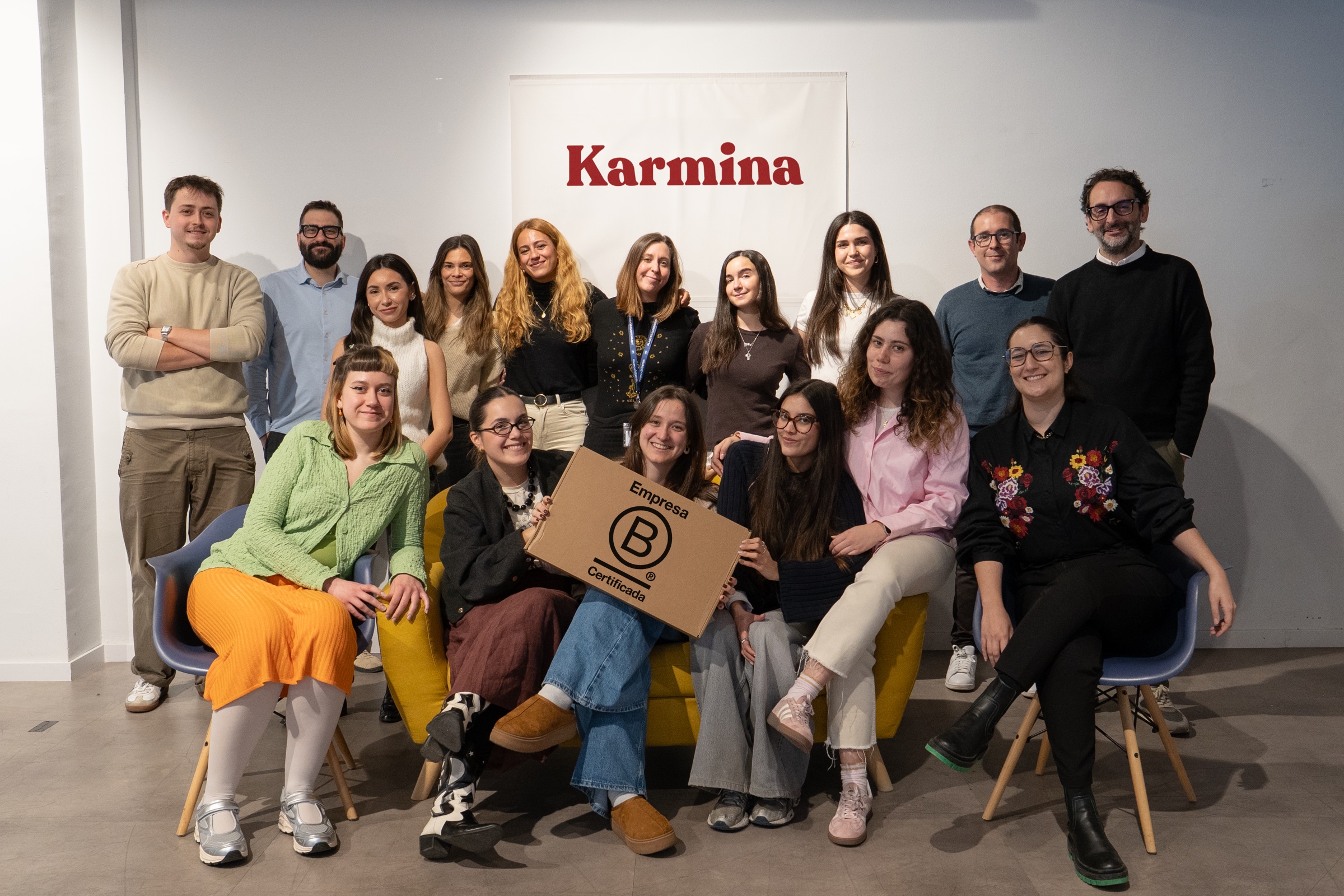
 B CorpCertified company
The team
People who connect knowledge and practice


Arnau Sanz
Agentic Strategy & AI Transformation Lead

Ignasi Llorente
AI Partnerships & Business Director

Martina Díaz
AI Finance & Business Intelligence Director

Daniel Mallén
AI Operations & Workflow Lead

Eva Trigo
Generative Creative Director

Ariadna Miranda
AI Administration & Knowledge Operations Lead

Claudia Gonzalez
AI Client Success Manager

Jonan Basterra
AI Social Strategy Director

Laura Sabio
Agentic Social Media Lead

Agustina Córdoba
Content AI Specialist

Alba Gómez
Social Listening Specialist

Paola Cudeiro
AI Client Success Specialist

Roger López
AI Project & Workflow Specialist

Mar Berzal
AI Content Strategy Lead

Andrea Gallego
Community Intelligence Specialist

Candela de la Fuente
Content AI Specialist

Blanca Gómez
AI Community Operations Specialist

Cintia Armajach
Content AI SpecialistLet’s talk
Let's talk about Knowledge Guide
Tell us about your situation, even if the challenge is not fully defined. A member of our team will respond to understand the process and discuss a first step.
hello@karmina.ai