KarminaAI StudioAgents · Services · Training





Digital & Creative Production · AGENT-A10
Site Builder
This landing page explains what automates Site Builder, what sources and tools you need, how the result is reviewed and how it can be applied within a company.
StrategyOwn knowledgeProportional permissionsHuman supervisionMeasurement and improvement
01
The agent, at a glance
What Accelerates
Content inventory and modeling, route creation, component reuse, structured loading, responsive adaptations, integrations, and testing.
What does it deliver
Functional web, route map, component system, structured content, integrations, documentation, checks and maintenance process.
For whom it is
Organizations, marketing teams, services, programs or projects that need a new website or a reconstruction with many pages and relationships.
What it doesn't do
It does not invent business architecture, does not migrate content without validating it, does not overwrite existing environments without control, and does not present a prototype like a published and verified web.
02
The problem it solves
The complexity of a website appears between pages, not just within each page.
When the project grows, inconsistencies accumulate: different menus, duplicate components, improvised slugs, ownerless content, forms with separate circuits and links that do not form any route.
The Site Builder helps reduce:
- Repetitions and divergences between pages.
- Dependence on manual adjustments.
- Architectures that cannot be expanded.
- Migrations that drag obsolete content.
- Designs without a consistent mobile version.
- Undocumented Integrations and Permissions.
- Launches without complete verification of routes and flows.
03
What exactly is Site Builder?
It is an agent working on a delimited web project and a validated architecture. It can create routes, components, content models, navigation, pages, and integrations; it can also help migrate or refactor when a clear source exists.
Its function combines production and control. It doesn’t just generate files: it checks that the web compiles, renders, responds to, and maintains agreed behaviors.
04
What do you do, specifically?
01. Model the website map
It transforms services, agents, cases, articles, sectors or other content into an architecture with hierarchies, routes and relationships.
02. Define reusable components
Convert approved patterns into blocks that can be kept without copying code and text on each page.
03. Build routes and templates
Implements pages, navigation, layouts, states and metadata within the chosen technical system.
04. Integrate content and assets
It loads texts, images and structured data preserving sources, rights, formats and versions.
05. Connect Services
Configure forms, analytics, search engines, content managers or other authorized integrations.
06. Check the system
Check compilation, rendering, routes, links, responsive, accessibility, forms, metadata and visible errors.
07. Prepare for Maintenance
It documents structure, dependencies, variables, editors, flows and deployment process.
DUBTE BACK
You don’t have to know which agent you need.
Let’s start with a repeated task, the sources available and the result you want to review. In a free video call we can assess if you need an agent, a service or simply better order the process.
Video call · free · no obligationBook a free video call ↗A short conversation to understand your starting point and bring clarity.
05
How it works from start to finish
- Check the starting point and restrictions.
- Validates content map, users and routes.
- Define visual system, components and data model.
- Build a representative section.
- The team reviews content, design and behavior.
- Scale the system to the rest of the routes.
- Run technical and visual tests.
- Publish in preview and resolve incidents.
- One person authorizes the launch.
- The public website and the maintenance process are checked.
06
Example of situation
A website with dozens of landing pages needs a system before it needs more pages
A new vertical must publish agents, services, training, cases, sectors and articles. The Site Builder does not create fifty independent pages. It first defines content types, templates, taxonomies, links, and shared components.
It builds a full-agent landing page and validates that the same system can adapt to other agents without the pages looking like clones. Then expand the catalog, keep the specific contents and check that the menu, filters and link continue to work.
07
What do we need before we launch it?
Essential
- Objectives, audiences and routes.
- Inventory and status of content.
- Brand architecture and languages.
- Technical environment, repository and hosting.
- Visual system or criteria to build it.
- Integrations, permits and responsible.
- Privacy policy, cookies and data.
- Criteria for publication and verification.
Highly recommended
- Analytics of the previous website.
- Map SEO and redirects.
- Library of assets with rights.
- Post-editing requirements.
- Performance and accessibility budget.
08
How we implant it
- Diagnosis of content, technology and governance.
- Architecture and section prototype.
- System of components and models.
- Iterative construction for page families.
- Controlled migration when appropriate.
- Visual, functional and content QA.
- Onboarding of editors and managers.
- Launch, public verification and follow-up.
A REAL TASK IS THE BEST BRIEF
Explain where the friction is concentrated.
You can send us an example, the approximate volume and how it is reviewed today. No need to share sensitive data to make a first assessment.
09
Human supervision and boundaries
The agent can
- Analyze and build within the authorized project.
- Create components, routes and structured content.
- Run tests and correct incidents.
- Prepare deployments and documentation.
- Propose improvements in architecture.
Agent can't
- Remove or replace content without migration criteria.
- Making destructive changes in production outside the circuit.
- Inventing secrets, credentials or integrations.
- Ignore unrelated changes that belong to the team.
- Give the website for publishing without checking the resulting status.
Stop and scale when
There is risk of data loss, missing permissions, migration is ambiguous, an integration affects external systems, deployment fails or the public outcome does not match the validated version.
10
Sources and possible connections
Repositories, CMS, design systems, hosting, analytics, forms, CRM, asset libraries and content managers. You can connect with Landing Builder, Blog Publisher, SEO Monitor, Brand Guard and Image Editor.
11
How do we measure if it adds value?
- Time to build and validate new routes.
- Reuse and consistency of components.
- Compilation, rendering, links and forms errors.
- Responsive quality and accessibility.
- Content with owner and state.
- Ability of the team to edit without constant assistance.
- Performance, indexing and stability after launch.
12
For whom does it make sense?
It can fit if
- The project needs many related pages.
- They want a system that continues to grow.
- There's enough content, but it's scattered.
- The current website depends on manual duplications and adjustments.
- It needs to unite production, SEO, integrations and verification.
It’s not the first step yet.
- Only one point landing page is needed.
- The offer and the architecture have not been defined.
- There is no secure environment or web owner.
- The main need is a brand strategy not yet solved.
DUBTE BACK
You don’t have to know which agent you need.
Let’s start with a repeated task, the sources available and the result you want to review. In a free video call we can assess if you need an agent, a service or simply better order the process.
Video call · free · no obligationBook a free video call ↗A short conversation to understand your starting point and bring clarity.
13
Knowledge Foundation and adoption
The basis of Site Builder includes brand architecture, services, public, content, routes, components, integrations, permissions, SEO and maintenance. The web is one of the ways in which this knowledge is published, not the place where it should be improvised.
The onboarding covers editing, publishing, reviewing, asset management, common errors and responsibilities on each type of content.
14
Frequently Asked Questions
Can you create a complete website?
Yes, within a delimited project and with defined architecture, content, identity and environment. Human participation increases in brand and business decisions.
Can you migrate an existing website?
Yes, but first you need to inventory content, data, redirects, integrations and dependencies. Migration is not copying everything.
What technology do you work with?
It adapts to the right and viable environment. The decision depends on editing, hosting, integrations, equipment and maintenance, not a generic preference.
Can you manage multiple languages?
Yes, if architecture, translation process, slugs, metadata and responsibilities are defined by language.
Does it include hosting?
It can include configuration and deployment according to the project. The supplier, access and maintenance responsibility are defined above.
How much does it cost and how long does it take?
It depends on the number of page types, content, integrations, migration and design level. It is planned in verifiable phases.
15
Closure and conversion
What system should support the web when it is no longer a launch project?
Share the map, the content and the current environment. We will assess what needs to be defined, what can be reused and which section best represents the first pilot.
Direct contact hello@karmina.ai
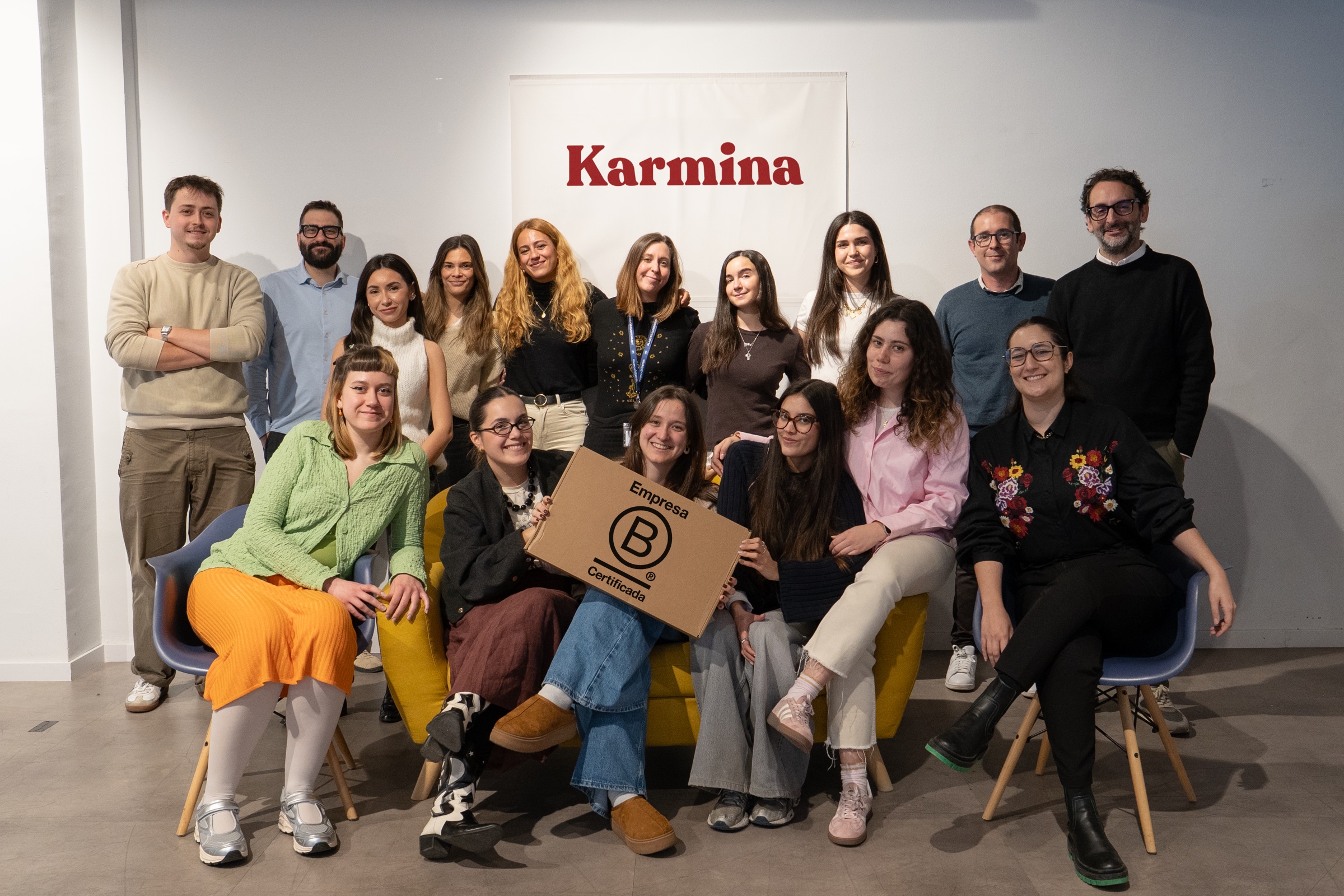
Karmina, the agency behind the Studio
Why Karmina?
Behind Karmina AI Studio there is an agency with track record, team, scale and applied experience in real organizations.
Karmina · AI Studio · Criterio · Dunder Mifflin · Utopiq · Smart Team
 +€119mIn advertising investment for clients
Ads Platforms
Partners MetaGoogle Ads
 TikTok
 Pinterest
 Barcelona
Madrid
Buenos AiresOur offices · Meet the team ↗
+50 KCommunity
 B CorpCertified company
The team
People who connect knowledge and practice


Arnau Sanz
Agentic Strategy & AI Transformation Lead

Ignasi Llorente
AI Partnerships & Business Director

Martina Díaz
AI Finance & Business Intelligence Director

Daniel Mallén
AI Operations & Workflow Lead

Eva Trigo
Generative Creative Director

Ariadna Miranda
AI Administration & Knowledge Operations Lead

Claudia Gonzalez
AI Client Success Manager

Jonan Basterra
AI Social Strategy Director

Laura Sabio
Agentic Social Media Lead

Agustina Córdoba
Content AI Specialist

Alba Gómez
Social Listening Specialist

Paola Cudeiro
AI Client Success Specialist

Roger López
AI Project & Workflow Specialist

Mar Berzal
AI Content Strategy Lead

Andrea Gallego
Community Intelligence Specialist

Candela de la Fuente
Content AI Specialist

Blanca Gómez
AI Community Operations Specialist

Cintia Armajach
Content AI SpecialistLet’s talk
Let's talk about Site Builder
Tell us about your situation, even if the challenge is not fully defined. A member of our team will respond to understand the process and discuss a first step.
hello@karmina.ai